 Plugnap
⚡ For iPhone · Coming soon
Charge your EV when power is cheapest.
Plugnap reads your utility's rate plan and shows tonight's cheapest time to charge, plus how much you save by waiting.
Works with any electric car and any charger, even a regular outlet. Plugnap can also set the charging schedule on Tesla vehicles.
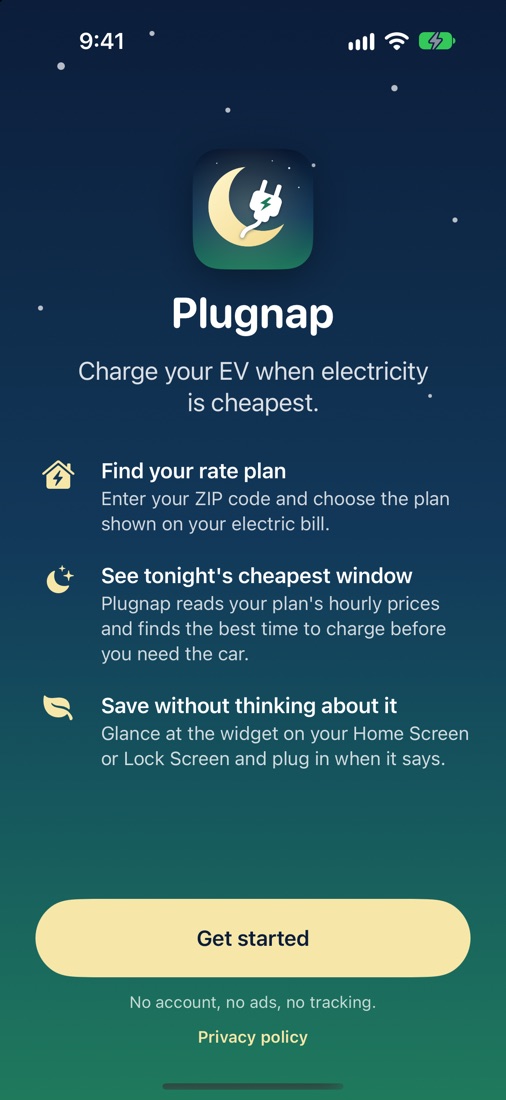
Set it up once. Save every night.
Electricity often costs two or three times more in the evening than overnight. Plugnap does the math for you.
Pick your rate plan
Enter your ZIP code, or use your location, and choose the plan on your electric bill.
Tell it what you need
How much energy to add, your charger's power, and when the car must be ready.
Plug in at the right time
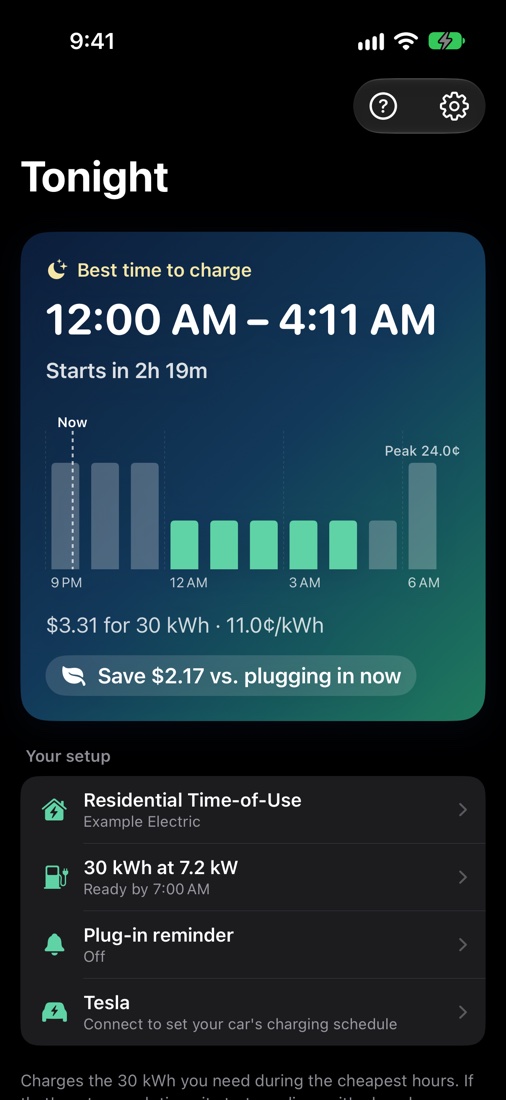
Plugnap shows the cheapest window tonight and what you save compared with charging right away.
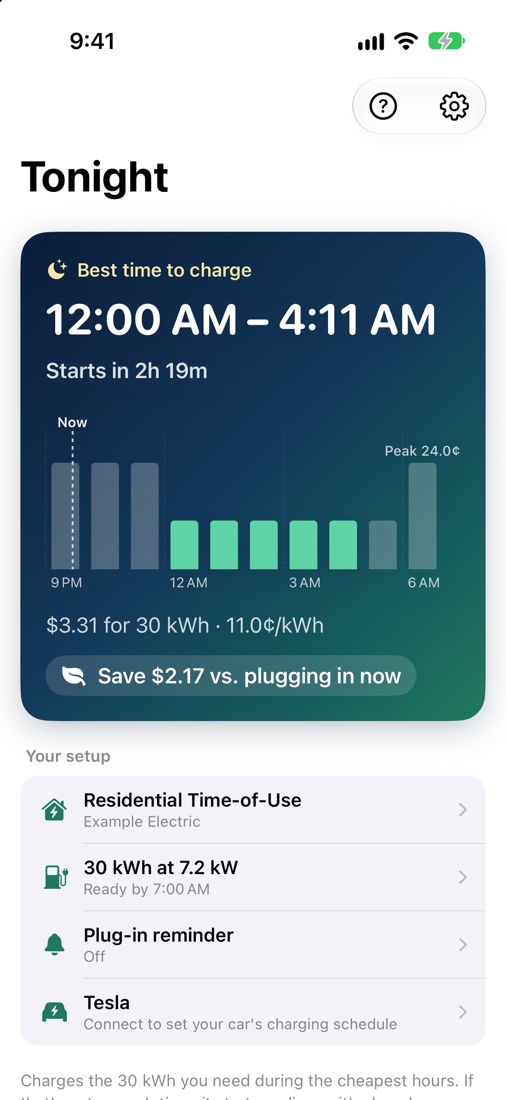
Tonight's best window, at a glance
No spreadsheets, no guessing which hours are off-peak. Plugnap reads every hour of your plan and picks the cheapest stretch that still finishes on time.
- Exact cost for the energy you need
- Savings compared with plugging in now
- Hourly price chart that shows why that window wins
- Handles weekends, seasons and daylight saving time
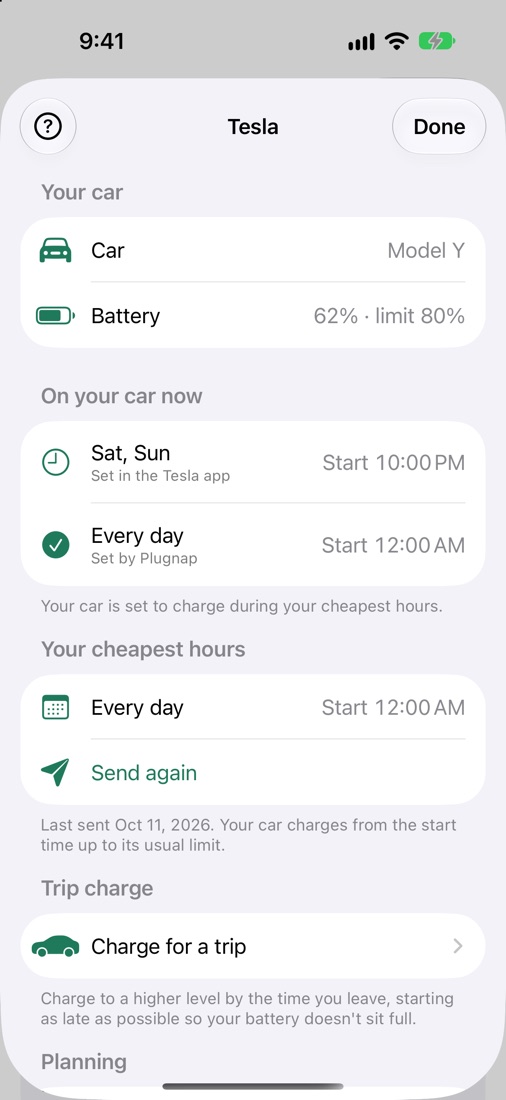
Let Plugnap set your car's schedule
Plugnap is compatible with Tesla vehicles, including Model 3, Model Y, Model S and Model X. Connect yours and Plugnap puts your cheapest hours on the car as its charging schedule, when you ask it to. Plug in whenever you get home; the car waits for the right time.
- Tells you when your cheap hours change, so you can update the car with a tap
- Plans from your car's battery level, charge limit and home charger
- Shows what's on your car, and leaves schedules you made alone
- Can't unlock, start or locate your car
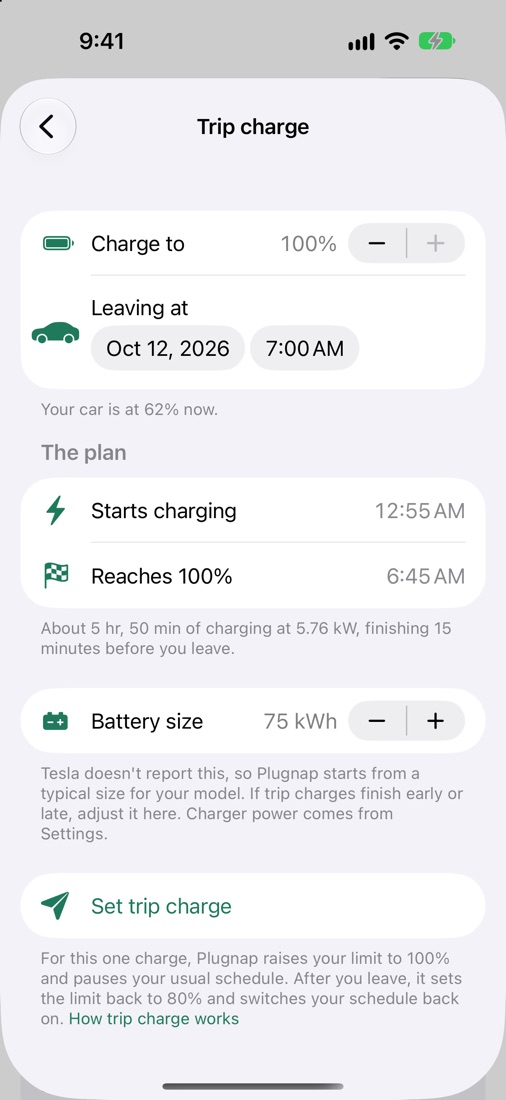
Full for the trip, not full all night
Leaving early with a long drive ahead? Pick a level and a leave time. Plugnap works out how long your car needs and starts it as late as it can, so the battery doesn't sit at 100% for hours.
- Finishes just before you leave
- Reminds you to put your usual limit and schedule back afterwards, in one tap
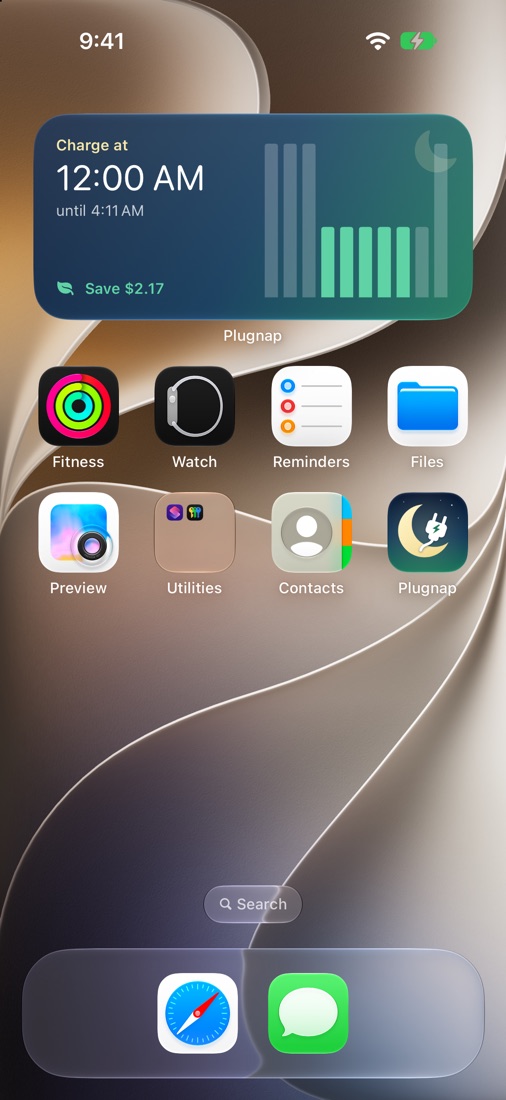
A widget that tells you when to plug in
Add Plugnap to your Home Screen or Lock Screen and you don't even need to open the app. It updates on its own when your charging window starts and ends.
- Small, medium and Lock Screen sizes
- Works offline once your plan is saved
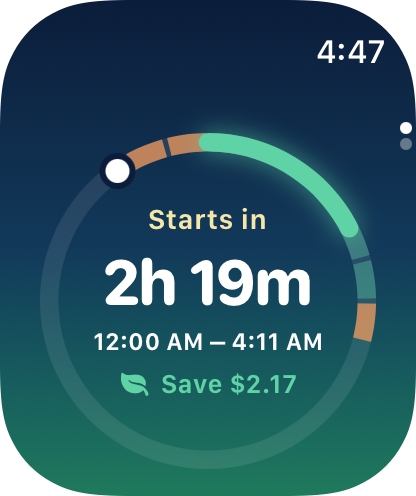
On your wrist, too
Plugnap for Apple Watch shows your charging window and a countdown to it. Add it to your watch face and the answer is always a glance away.
- Watch app and watch face complications
- Works on the watch by itself once your iPhone has sent your plan
Easy on the eyes, day or night
Light and dark modes that follow your iPhone, or pick one in Settings. Checking prices at 11 PM won't blind you.
Same miles. Smaller bill.
An example time-of-use plan, adding 30 kWh (about 100 miles) overnight:
Example only. Your savings depend on your utility's plan, how much you drive and when you'd otherwise charge.
Private by design
Plugnap works without your car's login or a special charger. Only your ZIP code and charging settings leave your phone, to look up your plan's prices. Connecting a Tesla is optional, and if you do, your Tesla sign-in stays on your iPhone.